Time-Coded Transcription: Examples, Uses, and How to Get One from YouTube
A time-coded transcript turns audio or video into searchable text with timestamps. Instead of guessing where a quote appears, you can jump back to the exact moment in the recording.
On this page
In shortWhat Is Time-Coded Transcription?Time Coding vs Timestamps vs SubtitlesWhat Does a Time-Coded Transcript Look Like?How to Create a Time-Coded Transcript from YouTubeWhen Time-Coded Transcripts Are Most UsefulHow Accurate Are Time Codes?Best Format for Each JobFAQIn short
- A time-coded transcript is text with timestamps that link each part to a moment in the recording.
- Use TXT with timestamps for notes and research, and SRT or VTT when the text has to play with the video.
- For a YouTube video, paste the link into a transcript tool and download the format you need.
This is especially useful for YouTube videos, interviews, lectures, podcasts, webinars, research calls, subtitles, and any workflow where the text needs to stay connected to the original media.
What Is Time-Coded Transcription?
Time-coded transcription means the transcript includes time markers such as [00:00:00] or 00:01:42. Those markers show where the words appear in the source recording.
The timestamps can be placed at regular intervals, at speaker changes, at paragraph breaks, or around important moments. The right approach depends on what you want to do with the transcript.
| Timestamp style | What it means | Best for |
|---|---|---|
| Every 30-60 seconds | Regular markers throughout the transcript. | Fast scanning and rough navigation. |
| Speaker changes | A marker appears when a new person starts speaking. | Interviews, podcasts, calls, panels. |
| Every line or caption | More detailed timing, closer to subtitle structure. | Editing, subtitles, close review. |
| Key moments only | Markers are kept around quotes, claims, chapters, or action items. | Research notes, summaries, citations. |
Time Coding vs Timestamps vs Subtitles
In everyday use, people often say “timestamped transcript” and “time-coded transcript” to mean almost the same thing. The practical difference is how detailed and consistent the timing is.
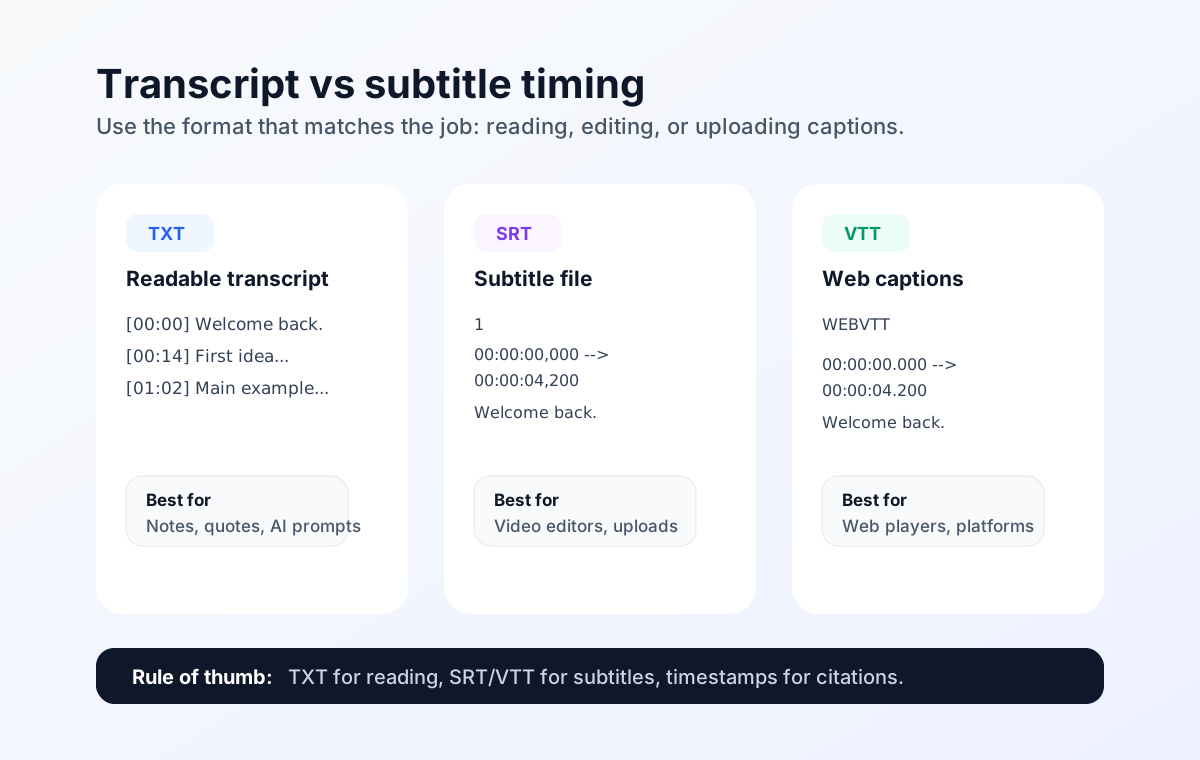
- Timestamped transcript: readable text with time markers, usually enough for notes, quotes, search and AI prompts.
- Time-coded transcript: a more precise transcript where timestamps are part of the structure, often at speaker turns, lines, or fixed intervals.
- Subtitle file: a timed caption format such as SRT or VTT, designed to appear on screen while the video plays.
What Does a Time-Coded Transcript Look Like?
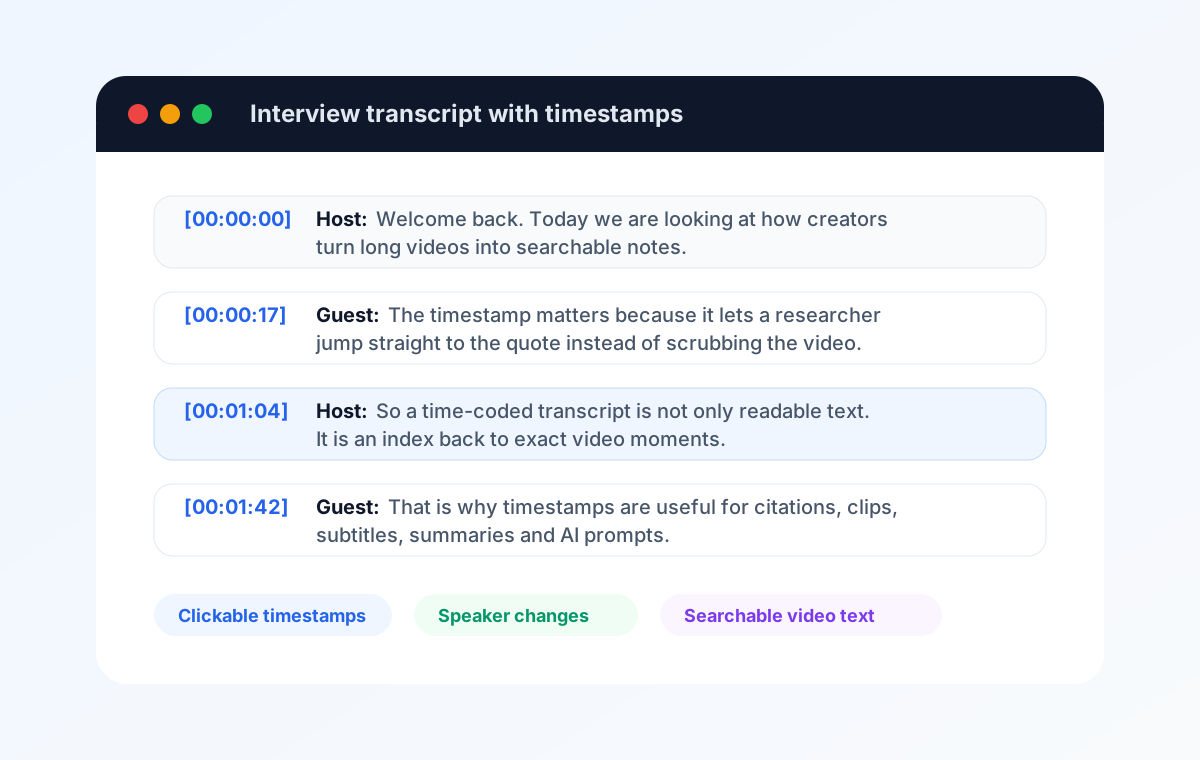
Here is a simple transcript example with timestamps at speaker changes:
[00:00:00] Host: Welcome back. Today we are looking at how creators turn long videos into searchable notes.

[00:00:17] Guest: The timestamp matters because it lets a researcher jump straight to the quote.

[00:01:04] Host: So a time-coded transcript is not only readable text. It is an index back to exact video moments.

[00:01:42] Guest: That is why timestamps are useful for citations, clips, subtitles, summaries and AI prompts.
For a YouTube workflow, this format is often more useful than a plain block of text. You can search the transcript, copy a quote, cite the timestamp, or paste the relevant section into ChatGPT, Claude, Gemini, Notion, Google Docs, a video editor, or a research database.
Get a timestamped YouTube transcript
Paste a link and get the transcript with clickable timestamps.
Transcript and downloads without an account. AI summary and chat with a free Google account.How to Create a Time-Coded Transcript from YouTube
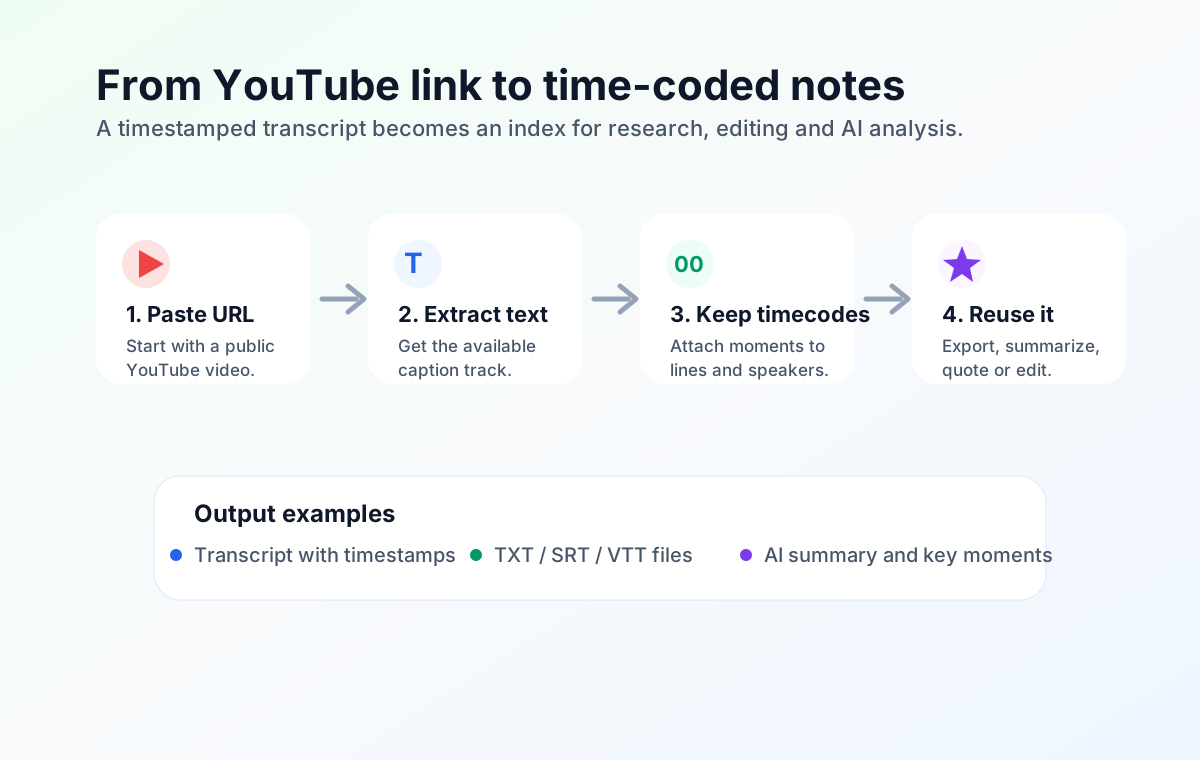
If a YouTube video has captions, you do not need to download the video or transcribe the audio manually. You can use the available caption track and keep the timestamps.
- Copy the YouTube video URL.
- Paste it into the InsightsTube transcript generator.
- Generate the transcript.
- Keep timestamps if you need citations, navigation, editing, or AI notes.
- Copy the text or download it as TXT, SRT, or VTT.
When Time-Coded Transcripts Are Most Useful
You do not always need timestamps. If you only want a clean article-style read, plain text may be enough. But time-coded transcripts become valuable when the exact moment matters.
| Use case | Why timestamps help |
|---|---|
| Research interviews | Return to a quote quickly and verify context before using it. |
| Podcasts | Find segments, quotes, sponsors, topic changes, and clips. |
| Lectures and tutorials | Turn long videos into study notes with links back to the lesson. |
| Video editing | Mark the moments that should become clips, chapters, or captions. |
| AI summaries | Ask an AI tool for key moments, but keep the timestamps for checking. |
| Legal or compliance review | Locate statements in the source recording more efficiently. |
How Accurate Are Time Codes?
Accuracy depends on the source captions. Human-created captions usually produce cleaner transcripts and better timing. Automatic YouTube captions can still be useful, but they may struggle with accents, background noise, technical words, music, fast speech, or overlapping speakers.
For serious work, treat timestamps as navigation aids first. Use them to jump back to the source video, then verify the quote or claim before you publish, cite, edit, or share it.
Best Format for Each Job
- Use TXT when you want readable notes, quotes, summaries, research material, or AI prompts.
- Use SRT when you need subtitles for a video editor, a course platform, or a caption upload workflow.
- Use VTT when you need captions for web video players or platforms that support WebVTT.
- Use clean text without timestamps when timing does not matter and you only need a readable article-style transcript.
FAQ
What is time-coded transcription?
Time-coded transcription is a transcript that includes timestamps showing where each line, speaker change, paragraph, or important moment appears in the original audio or video.
Is time-coded transcription the same as timestamping?
People often use the terms together, but timestamping can mean simple time markers every few minutes, while time-coded transcription usually means more useful and consistent timestamps around lines, speaker turns, or moments.
Can I create a time-coded transcript from a YouTube video?
Yes, if the video has available captions. Paste the YouTube link into InsightsTube, generate the transcript, and keep timestamps when copying or downloading the result.
Which format should I use: TXT, SRT, or VTT?
Use TXT when you want readable notes or AI prompts. Use SRT for video editing and subtitle uploads. Use VTT for web captions and platforms that prefer WebVTT.
Are YouTube timestamps accurate enough for citations?
They are usually useful for finding and citing moments, but accuracy depends on the caption track. Human captions are more reliable than automatic captions, especially with noisy audio or overlapping speech.