How to Translate a YouTube Transcript
Translating a YouTube video is easier when you start with the transcript. Instead of translating audio directly, turn the video into text, keep the timestamps you need, then translate the transcript into your target language.
On this page
In short1. Generate the YouTube transcript2. Fix source errors before translating3. Choose the right translation workflow4. Build a terminology glossary5. Use a translation prompt with explicit rules6. Translate long transcripts in sections7. Review meaning, not only grammar8. Prepare translated subtitles for readingTXT vs SRT vs VTT after translationCan you translate YouTube subtitles directly?FAQIn short
- Get the transcript first and fix obvious caption errors before you translate.
- Keep the timestamps, translate long transcripts in sections and use a glossary for names and terms.
- Review the meaning, then export TXT for reading or SRT and VTT for subtitles.
Step 1Generate the YouTube transcript
Copy the YouTube URL and paste it into a transcript generator. If the video has captions, you can get clean text with timestamps and export it as TXT, SRT or VTT.
Keep timestamps if you want translated subtitles, citations or links back to exact moments. Remove timestamps if you only need translated notes.
Get the transcript before you translate
Paste a link and get the transcript with clickable timestamps.
Transcript and downloads without an account. AI summary and chat with a free Google account.Step 2Fix source errors before translating
Translation cannot repair a word that the source captions recognized incorrectly. Review the passages most likely to cause errors: names, brands, acronyms, measurements, dates, code, medical terms and words spoken over music or background noise.
You do not need to polish every filler word. Correct the details that affect meaning, then preserve the segment order and timestamps.
Step 3Choose the right translation workflow
The best workflow depends on your goal:
| Goal | Best format | What to do |
|---|---|---|
| Readable notes | TXT | Copy the transcript and ask AI to translate it into natural language. |
| Subtitles | SRT or VTT | Preserve each timestamp and translate only the caption text. |
| Research | TXT with timestamps | Translate while keeping timestamps for quotes and citations. |
| Language learning | TXT | Ask for side-by-side original and translated lines. |
Step 4Build a terminology glossary
A glossary prevents the same name or concept from being translated differently in separate parts of a long video. Keep it short and specific to the source.
| Source term | Instruction | Reason |
|---|---|---|
| Acme Flow | Keep in English | Product name |
| activation | Use the agreed product-metrics term | Avoid literal ambiguity |
| Dr. Rivera | Preserve spelling and title | Person's name |
Include the glossary with every translated section. If you change a preferred term later, search the complete result and update it consistently.
Step 5Use a translation prompt with explicit rules
AI tools such as ChatGPT, Claude and Gemini can translate a transcript and preserve structure if you give them clear instructions.
Step 6Translate long transcripts in sections
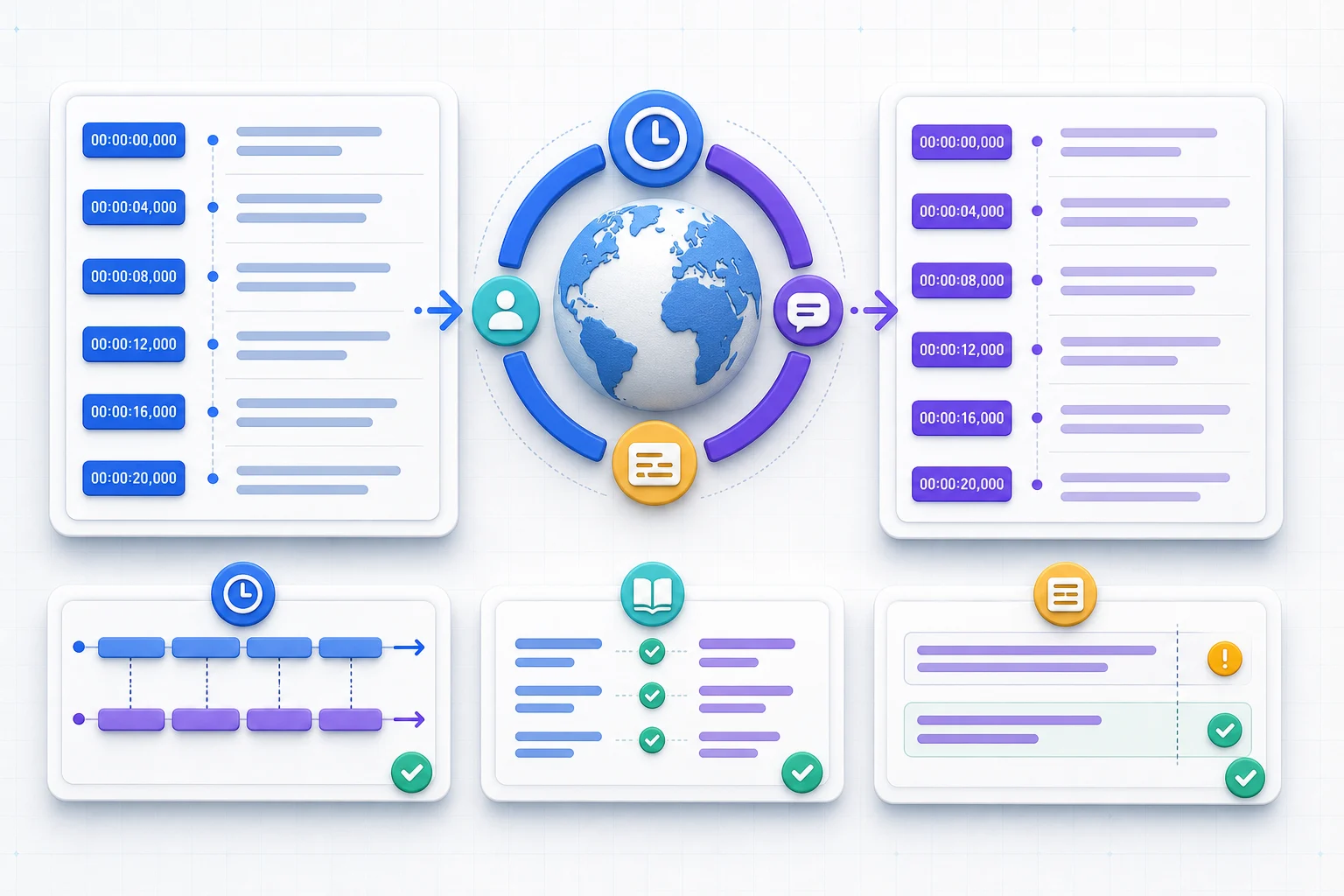
Split a long transcript at chapters or topic changes rather than in the middle of a sentence. Give each section an identifier and include a small overlap only when it is necessary to preserve context. Do not duplicate the overlap in the final file.
Apply the shared glossary
Reuse corrected terminology
Continuous timing and consistent terms
Step 7Review meaning, not only grammar
Translation quality depends on the original captions. Human captions usually translate better than auto-generated captions. If the video includes names, product terms, acronyms, numbers or quotes, review those lines before using the translation publicly.
Pay special attention to negation, uncertainty and attribution. “The speaker did not recommend this,” “the speaker may recommend this,” and “the host says the speaker recommends this” are three different claims even when the sentence sounds fluent.
Translating the whole transcript as one unstructured block and losing timestamps.
Translate section by section, preserve timestamps, then review important terms.
Step 8Prepare translated subtitles for reading
A correct translation can still be a poor subtitle. Translated sentences often expand or contract, while the original timing stays the same. Review the file while playing the video and adjust cue boundaries where necessary.
- Break lines at natural phrase boundaries, not inside a name or short expression.
- Avoid crowding too much text into a brief cue.
- Keep punctuation and speaker changes clear.
- Check that consecutive cues do not overlap accidentally.
- Confirm that on-screen labels and spoken terminology use the same translation.
TXT vs SRT vs VTT after translation
[00:12] Translated sentence
[00:18] Next idea
1
00:00:12,000 --> 00:00:18,000
Translated subtitle
WEBVTT

00:12.000 --> 00:18.000
Translated subtitle
Can you translate YouTube subtitles directly?
Sometimes YouTube offers translated caption tracks directly on the video. When they are available, they are convenient for watching. But if you need clean text, subtitle files, study notes or AI summaries, exporting the transcript first gives you more control.
Use the InsightsTube transcript translator when you want to keep the original timing and switch between source and translated segments in one workspace.
FAQ
Can I translate a YouTube transcript for free?
Yes. Generate the YouTube transcript, copy the text, then translate it with an AI assistant or translation tool. The quality depends on the transcript and the translation model.
Can I keep timestamps while translating?
Yes. Keep timestamps in the transcript and tell the AI to preserve each timestamp while translating only the spoken text.
What format is best for translated subtitles?
Use SRT or VTT if you need subtitle timing. Use TXT if you only need readable translated notes or a summary.
Can I translate auto-generated YouTube captions?
Yes, but errors in auto-generated captions can carry into the translation. For important work, review names, technical terms and quotes.
How do I keep terminology consistent in a long video?
Create a short glossary before translating the complete transcript. Include names, products, acronyms and preferred translations, then apply the same glossary to every section.
Does translating timestamps make subtitles ready to publish?
Preserved timestamps are a useful starting point, but published subtitles still need a reading-speed, line-break and synchronization review.